
 Last Update: October 7, 2026

About The Extension
The Support Hours extension shows your clients when each support department is available.
- Set working days and hours for each support department.
- Clients see a live status indicator in the top menu on every client area page.
- Hours, time zone and current status appear on the department selection page and in the ticket department dropdown.
- Add holidays and planned breaks so clients know in advance when support is away.
Product Requirements
- Phox Templates module 2.4.5 or later
- Phox WHMCS theme active on your client area
- WHMCS 9.0.8 or later
- PHP 8.2 or later
- An active licence for the Support Hours extension
The extension works only with the Phox WHMCS theme. It is not compatible with other WHMCS themes.
Download Files
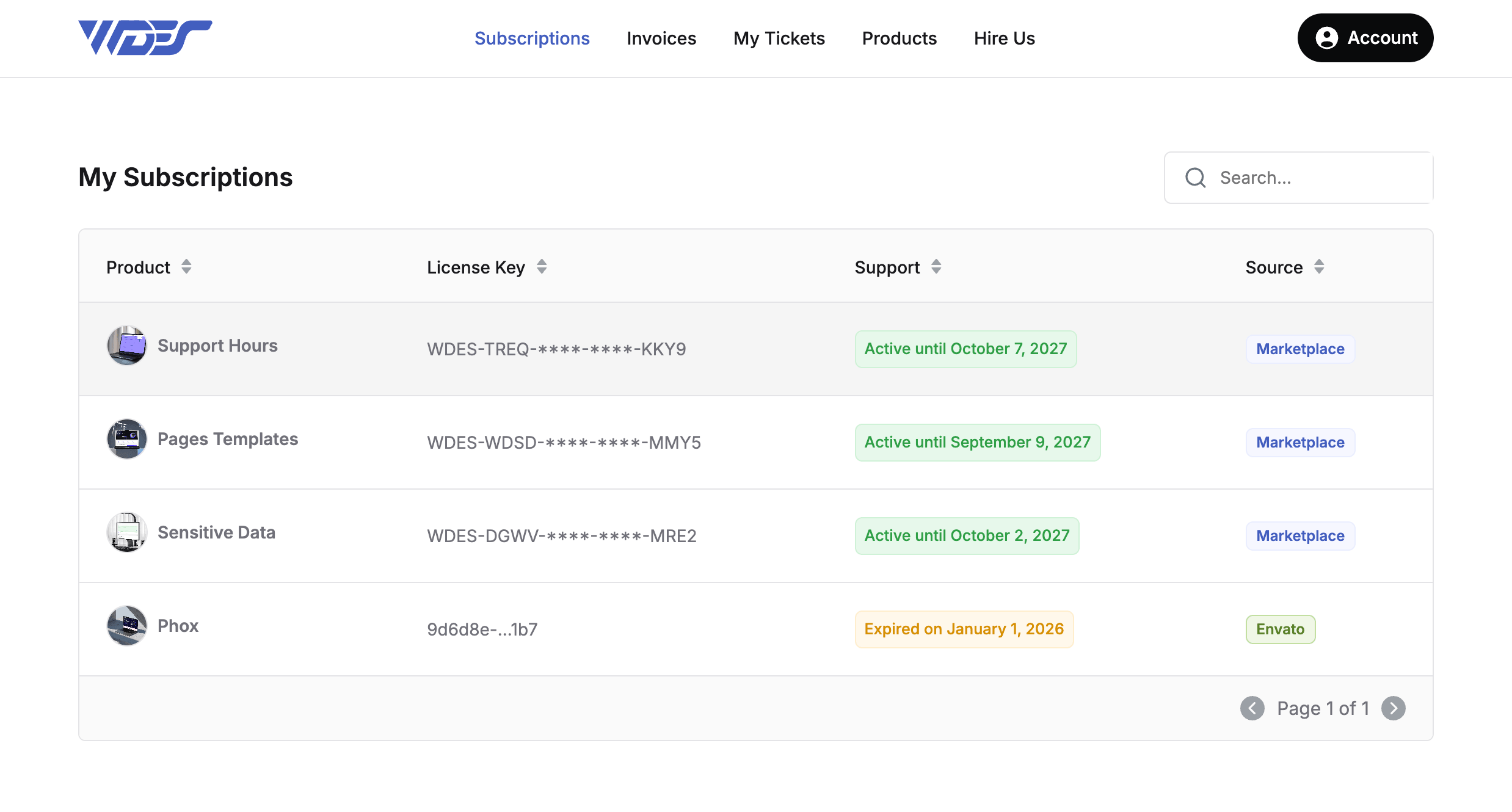
- Log in to your client portal account.
- Go to Subscriptions.
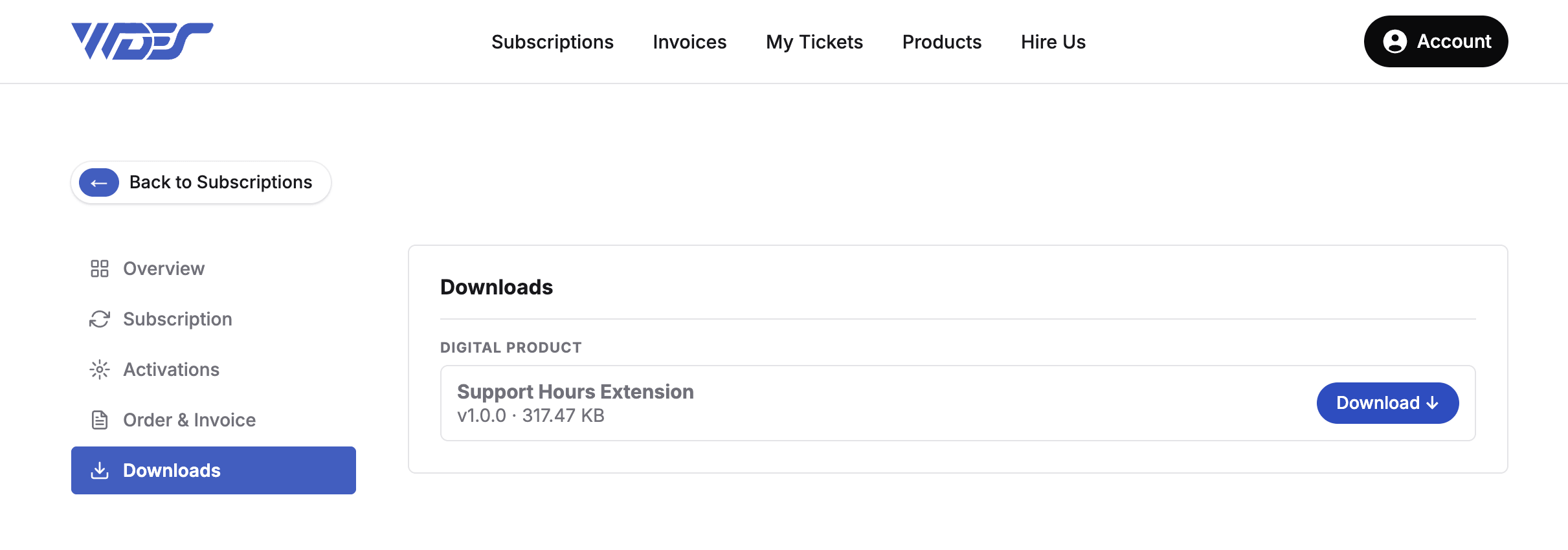
- Open the Support Hours product.
- Click the Download button on the product page.
Upload Files
- Extract the downloaded .zip file.
- Using FTP, upload the extracted
support-hoursfolder toWHMCS > modules > addons > phox_templates > extensions.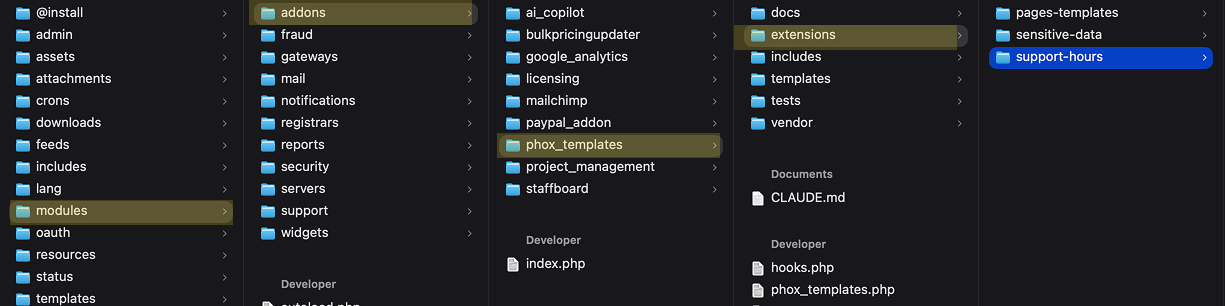
- Make sure all files uploaded without errors.
Activate Extension
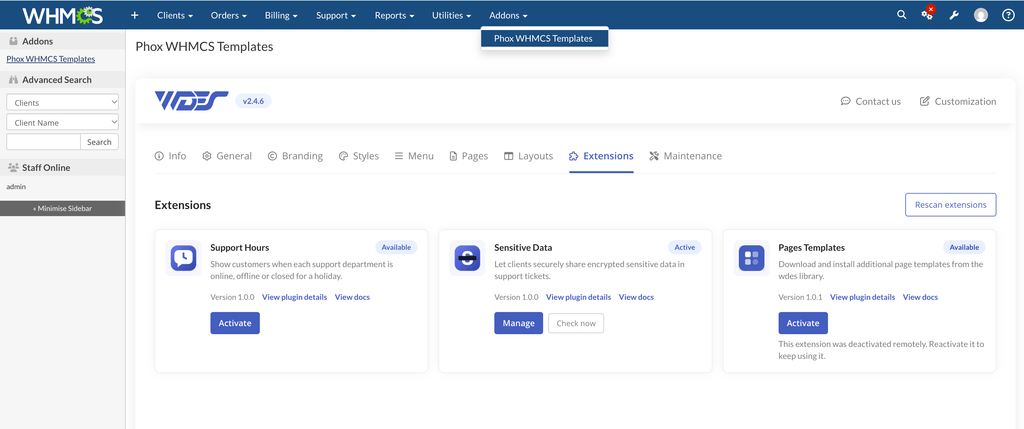
- Log in to the WHMCS admin area.
- Go to Addons > Phox WHMCS Templates.
- Open the Extensions tab.
- Find Support Hours and click Activate.
- Enter your licence key if prompted.
The extension is now active. Continue with How to Configure the Support Hours Extension to set your working hours and choose where they appear.