
 Last Update: October 7, 2026

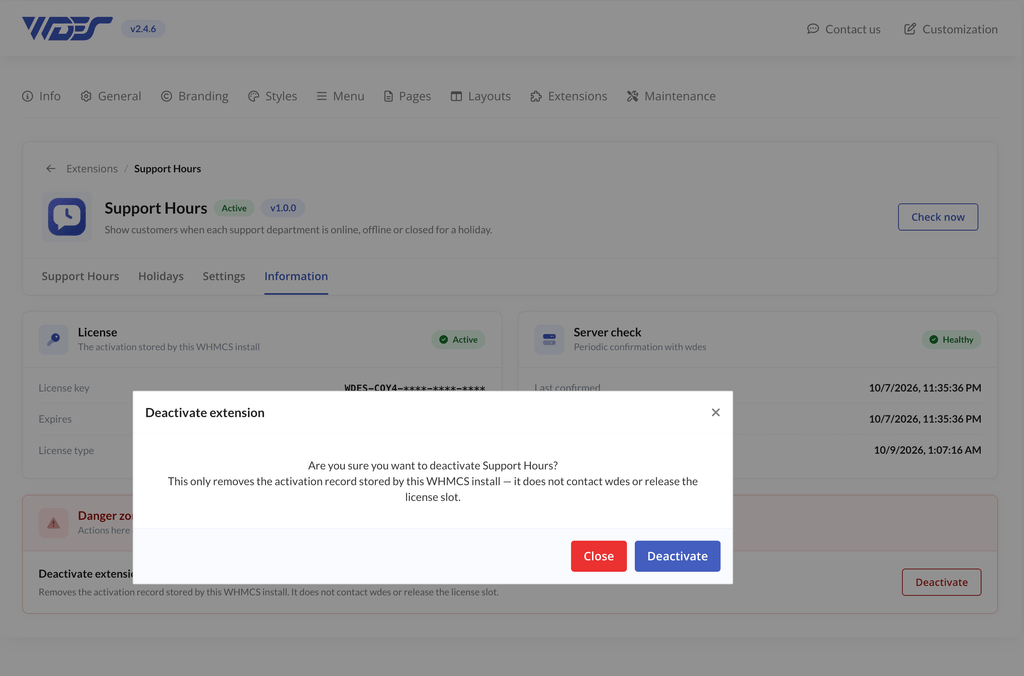
Steps to Deactivate
- Log in to the WHMCS admin area.
- Go to Addons > Phox WHMCS Templates.
- Open the Extensions tab.
- Find Support Hours and click Manage.
- Go to the Information tab.
- Scroll to the bottom of the page and click Deactivate.
What Happens to Your Settings
Deactivating removes the status indicator and working hours from the client area. Your working hours, holidays and settings are kept, and reactivating the extension brings them back.
Important Note
Deactivating does not reset the licence for the linked domain. To move the extension to a different domain, log in to the client portal, open the product under Subscriptions, and reset the licence there.