
 Last Update: October 1, 2026

All settings are in Addons > Phox WHMCS Templates > Extensions > Sensitive Data > Settings.
Access & Display
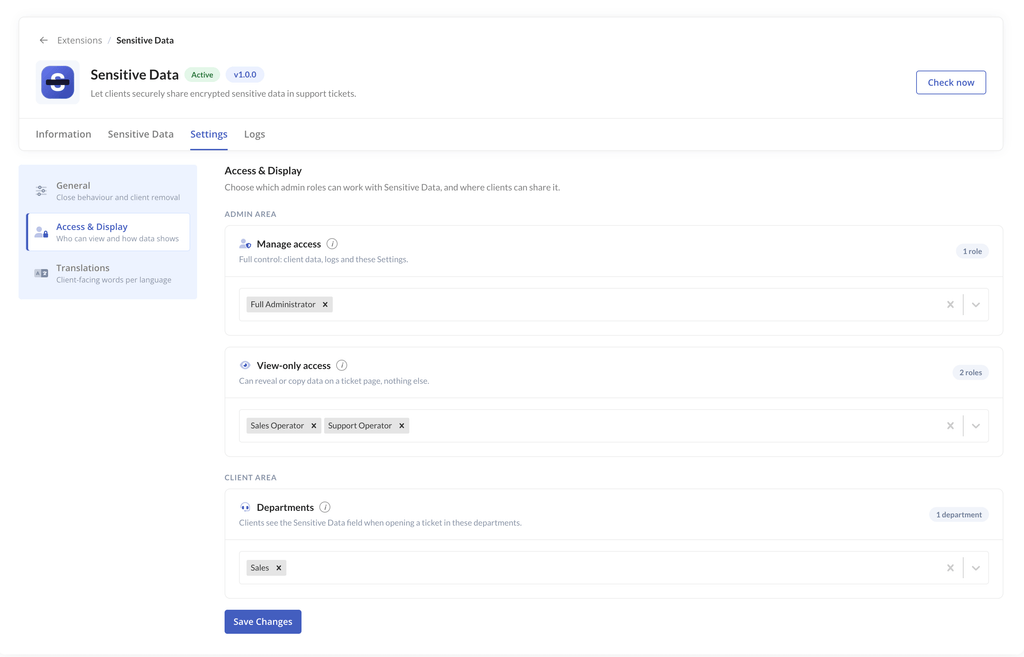
Open Settings > Access & Display to choose who can see the data.
| Access level | Who gets it | What they can do |
|---|---|---|
| View | Admin roles selected under Access in WHMCS Admin Area | Show and copy entries from the ticket page |
| Manage | Admin roles selected under Access to Sensitive Data Extension | Everything: add, edit, delete, settings and logs |
| None | Any admin role not selected | Cannot see anything |
| Client | The ticket owner and allowed sub-accounts | Add, view and edit their own entry |
If a role is selected in both lists, it gets Manage access.
Departments. Select the support departments that use the extension. Clients see the Sensitive Data tab only in these departments. View admins can only open entries in these departments.
Note: the admin role also needs access to the addon in Setup > Staff Management > Administrator Roles.
General Options
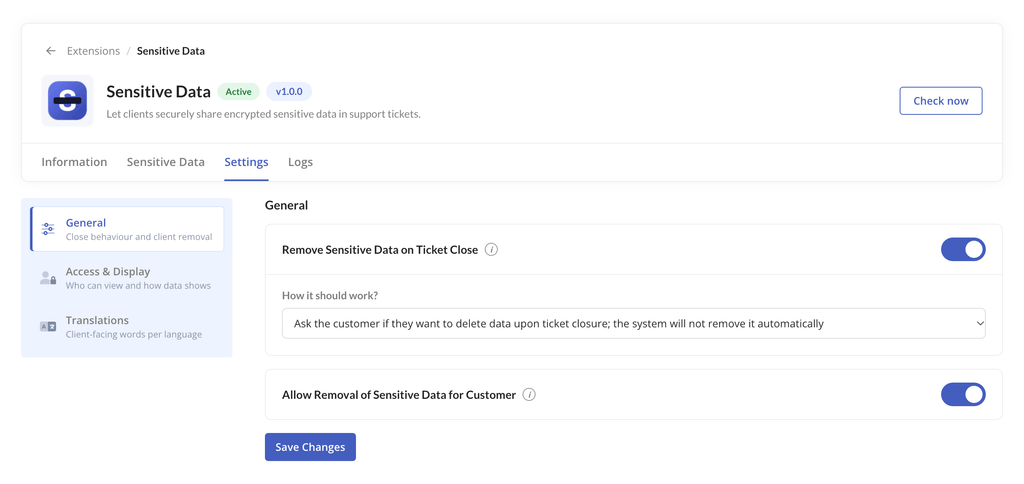
Open Settings > General.
| Option | What it does |
|---|---|
| Remove data on ticket close | Deletes the entry when the ticket is closed. Off by default. |
| Close mode: Automatic | The entry is deleted as soon as the ticket is closed. |
| Close mode: Ask the customer | When the client closes the ticket, they choose whether to delete the entry. |
| Allow clients to remove | Shows a Remove button to clients so they can delete their own entry. |
Translations
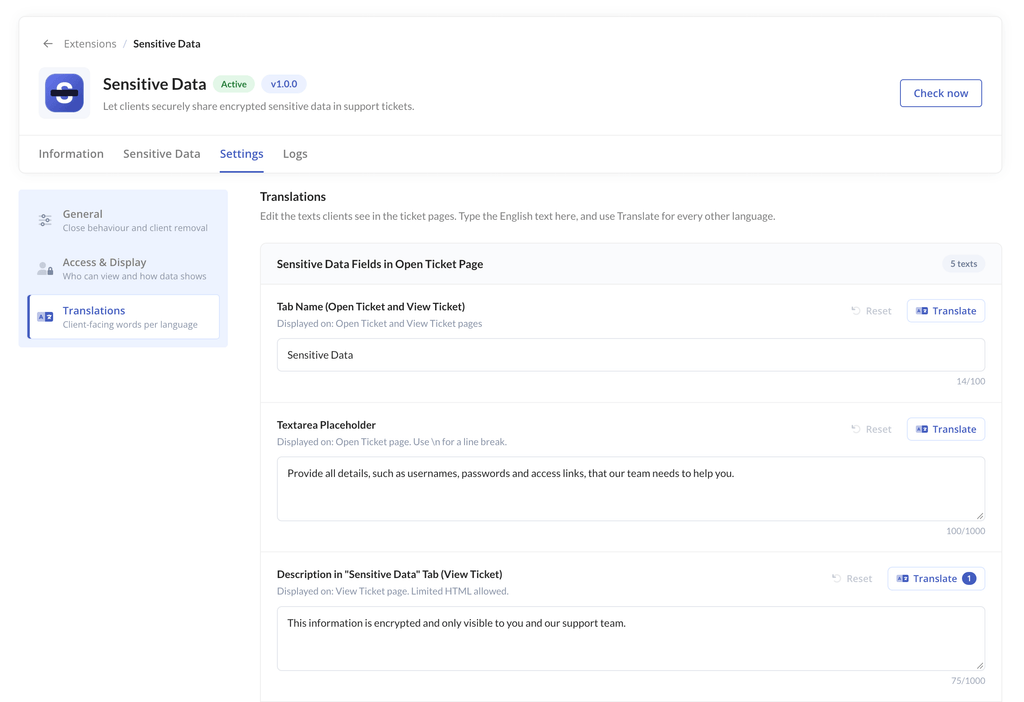
Open Settings > Translations to change the text clients see, such as the tab name, placeholder, descriptions and alerts. You can set one value per language. An empty value uses the English text.
Important
– The saved data is encrypted using a key from your WHMCS configuration.php file. Always keep a backup of this file. If it is lost, the saved data cannot be recovered.
– You are responsible for choosing which staff roles and departments can access the data. Review access from time to time and check the Logs tab when needed.