
 Last Update: October 1, 2026

About The Extension
Sensitive Data lets your clients send passwords and other private details with a support ticket, without pasting them into the ticket message.
- The client writes the details in a separate Sensitive Data tab when opening or viewing a ticket.
- The details are stored encrypted. They never appear in the ticket message, ticket emails or the WHMCS activity log.
- Only staff members you allow can see the details, and every view and copy is logged.
- Each ticket has one entry.
Product Requirements
- Phox Templates module 2.4.5 or later
- Phox WHMCS theme active on your client area
- WHMCS 9.0.8 or later
- PHP 8.2 or later, with the sodium extension enabled
- An active licence for the Sensitive Data extension
Download Files
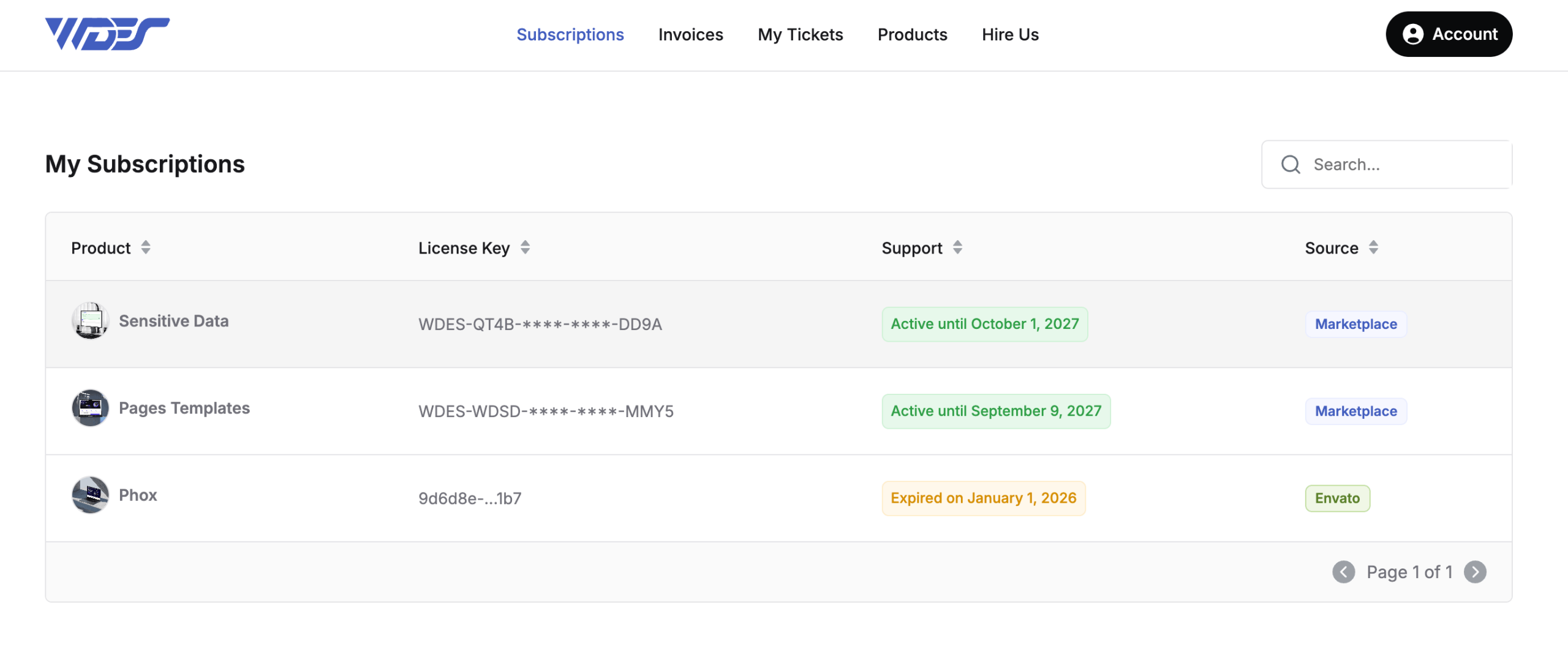
- Log in to your client portal account.
- Go to Subscriptions.
- Open the Sensitive Data product.
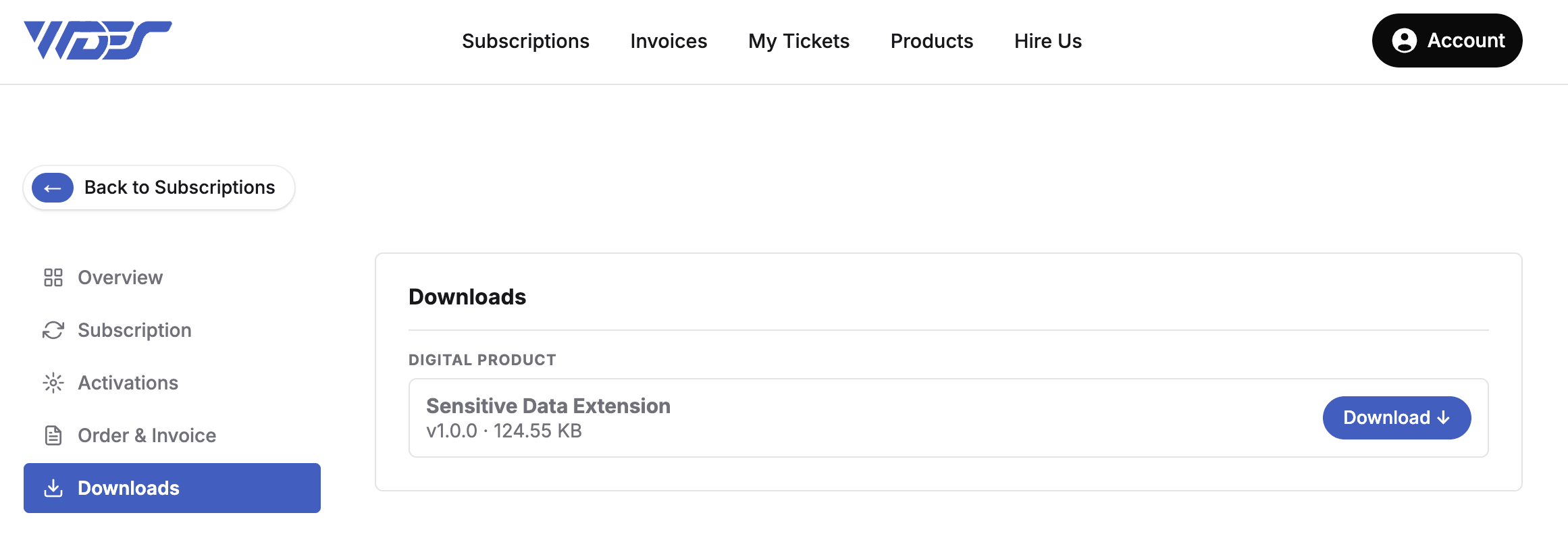
- Click the Download button on the product page.
Upload Files
- Extract the downloaded .zip file.
- Using FTP, upload the extracted
sensitive-datafolder to:WHMCS > modules > addons > phox_templates > extensions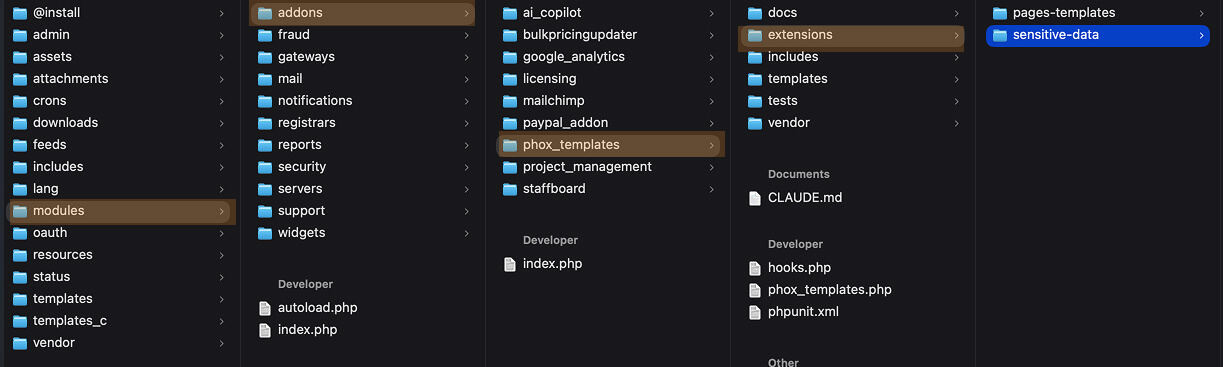
- Make sure all files are uploaded without errors.
Activate Extension
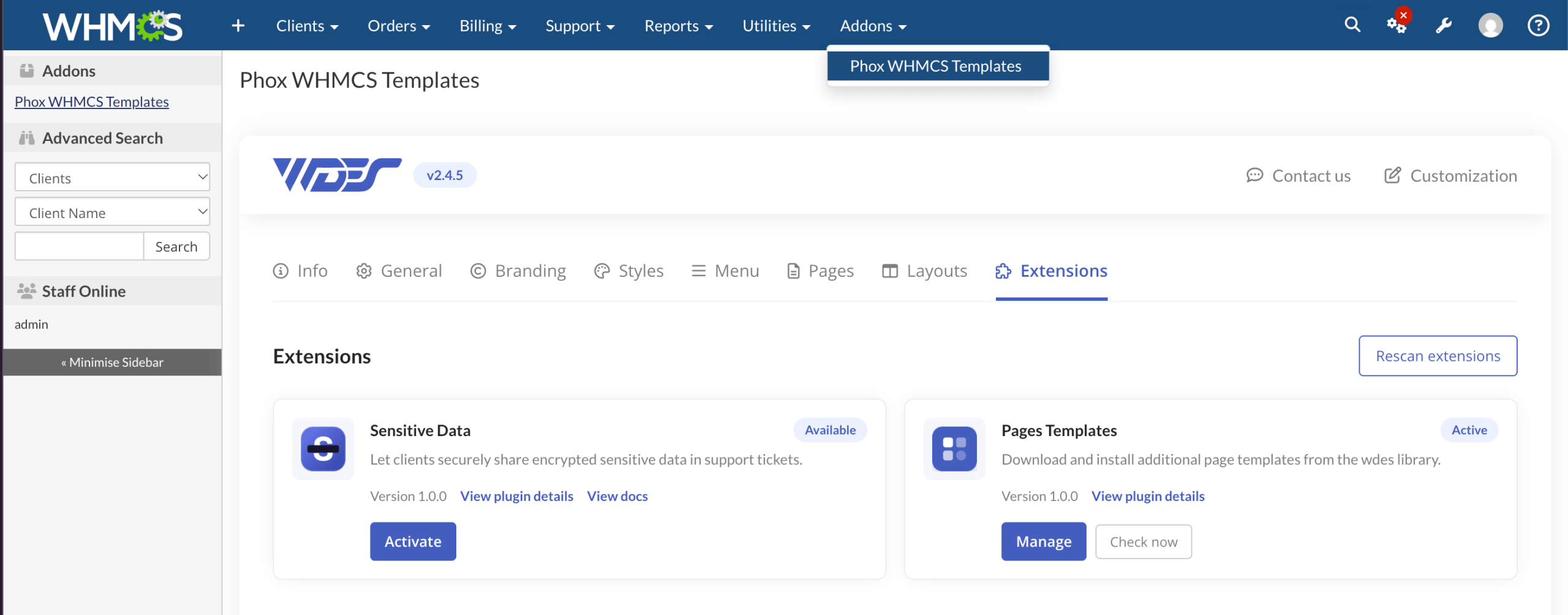
- Log in to your WHMCS admin area.
- Go to Addons > Phox WHMCS Templates.
- Open the Extensions tab.
- Find Sensitive Data in the list and click Activate.
- Enter your licence key if you are asked for one.
The extension is now active. Next, set who can see the data and where clients can use it. See How to Configure the Sensitive Data Extension.