
 Last Update: October 10, 2026

About The Extension
The Email Template extension gives the emails WHMCS sends to your clients a branded header, footer and styling that follow your Phox brand settings.
- 20 email templates, each in light and dark mode, LTR and RTL, desktop and mobile.
- 20 predefined messages with ready-made content for the most common WHMCS emails.
- A different template for each email type, such as invoices, domains and support.
- Header text, social links, footer links and copyright managed from the addon, with translations for every WHMCS language.
Product Requirements
- Phox Templates module 2.4.7 or later
- Phox WHMCS theme active on the client area
- WHMCS 9.0.9 or later
- PHP 8.2 or later
- An active Email Template extension license
The extension works only with the Phox WHMCS theme. It is not compatible with any other WHMCS theme.
Download
- Log in to the client portal.
- Go to Subscriptions and open the Email Template product.
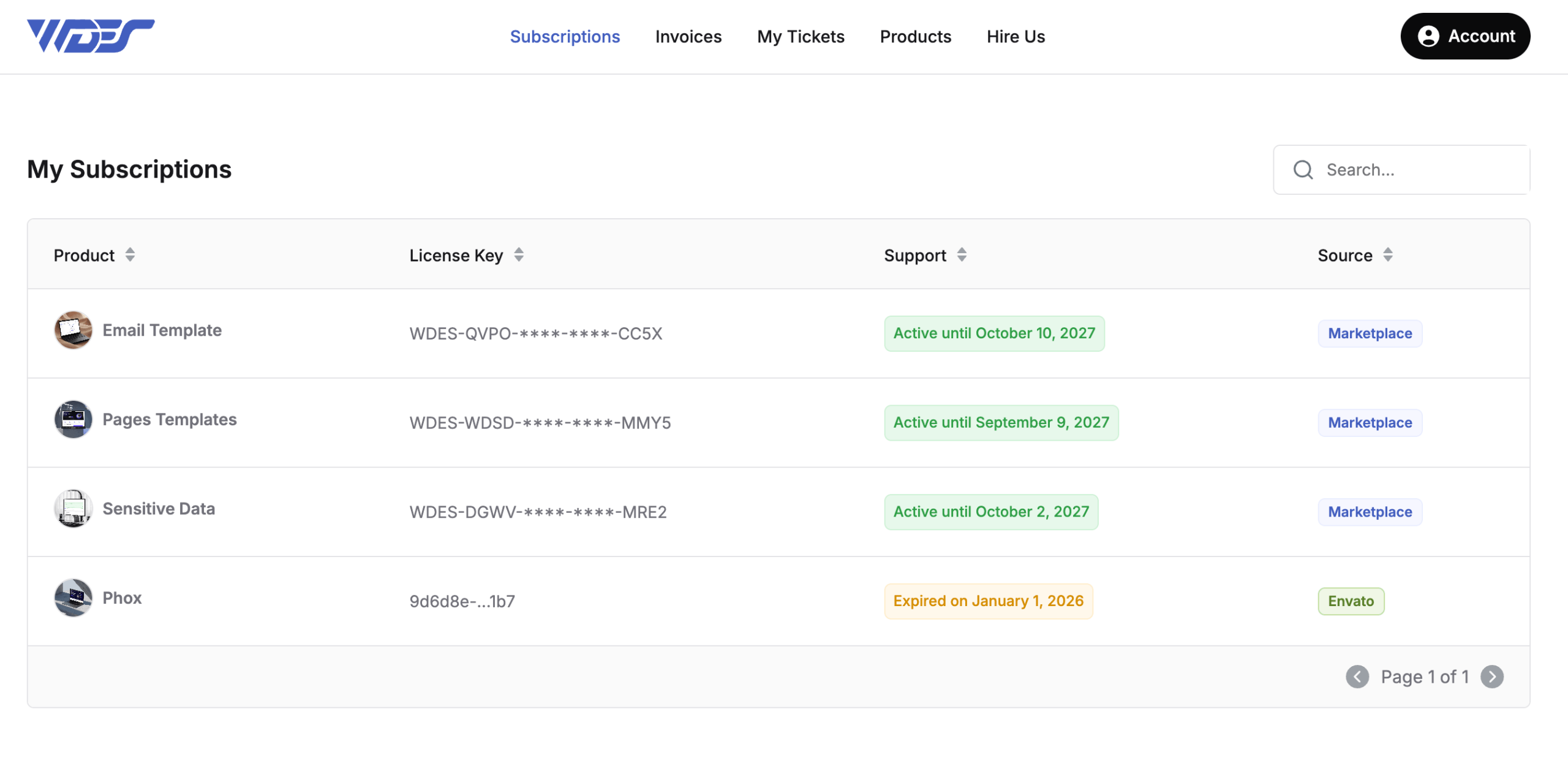
- Click Download.
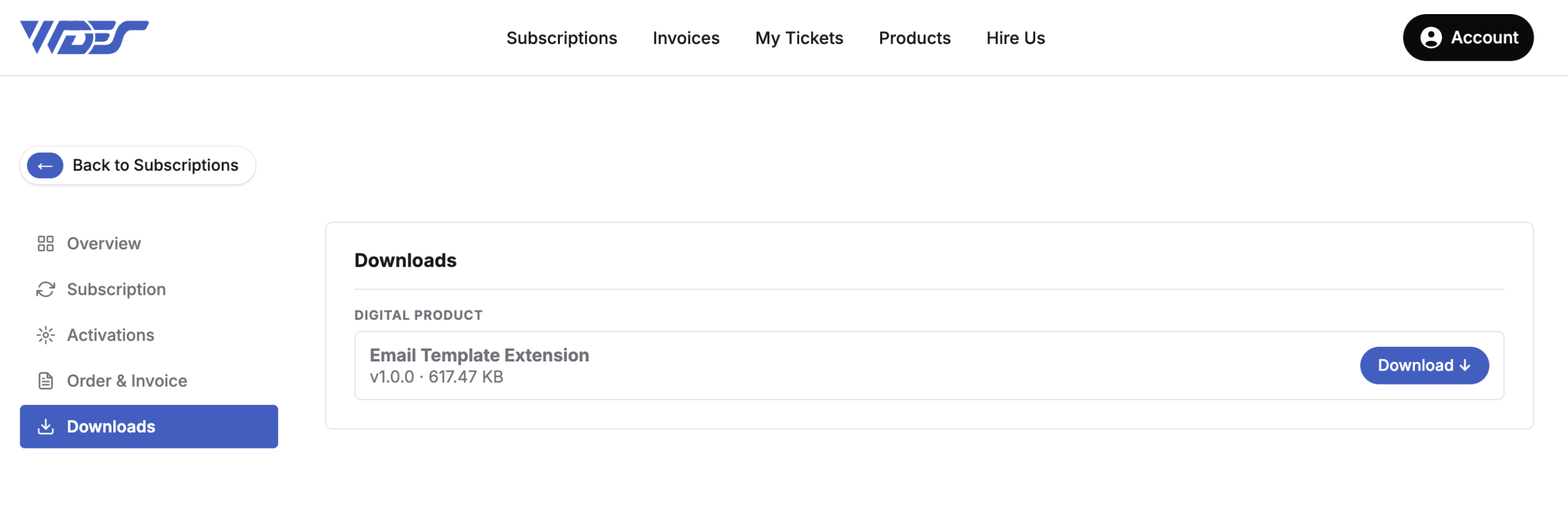
Upload Files
- Extract the .zip file on your computer.
- Using FTP, upload the
email-templatefolder tomodules/addons/phox_templates/extensionsin your WHMCS installation.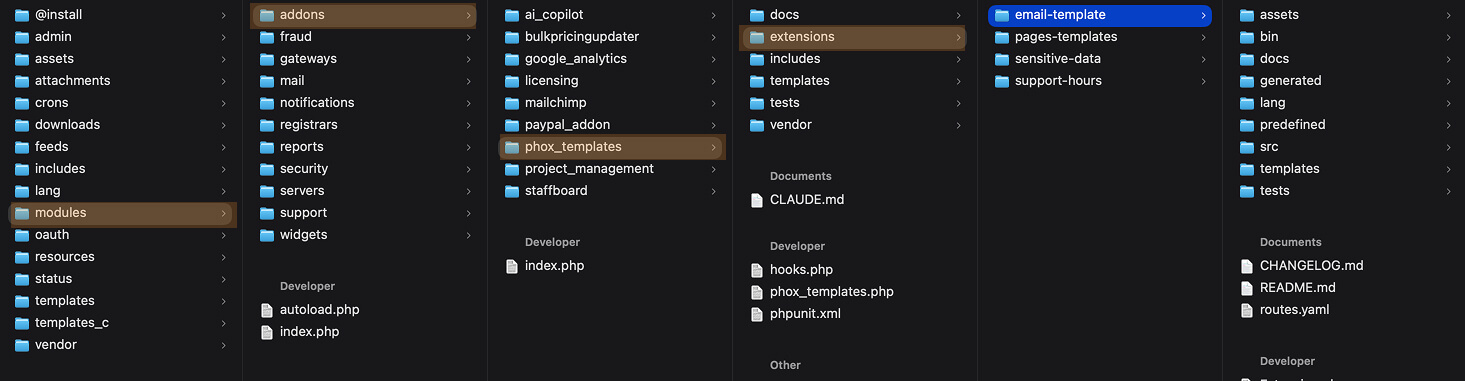
- Check that every file uploaded without errors.
Activate
- Log in to the WHMCS admin area.
- Go to Addons > Phox WHMCS Templates.
- Open the Extensions tab.
- Find Email Template and click Activate.
- Enter your license key if asked.
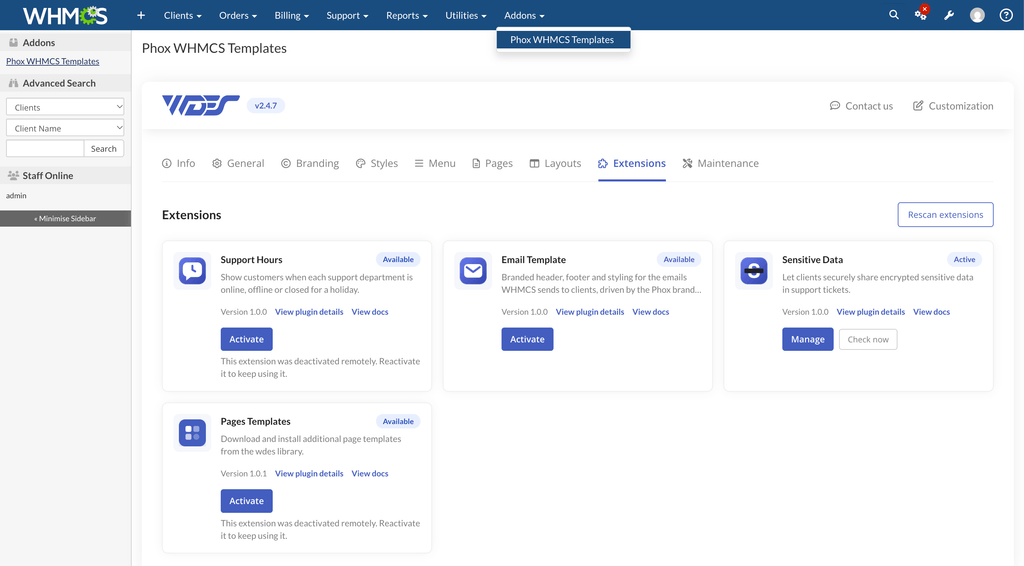
The extension is now active. Your emails use the default template until you choose another one. Next, see How to Configure the Email Template Extension.